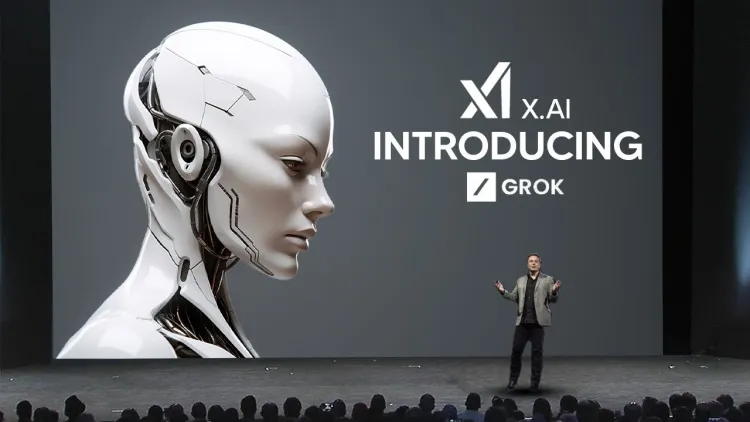
Imagine chatting with a clever friend who never gets tired, always tells the truth, and even cracks a joke when things feel heavy. That friend is Grok AI, and WhatsonTech is thrilled to walk you through everything in the simplest way possible. At WhatsonTech we believe technology should feel approachable, not overwhelming, which is why we created this clear guide just for you. WhatsonTech has watched AI grow rapidly, and Grok stands out as one of the most exciting options right now.
Understanding Grok AI in Simple Terms
Grok AI is a smart chatbot designed to answer questions, solve problems, and help with everyday tasks. Unlike some other tools that feel stiff or overly careful, Grok AI speaks like a real person. It stays helpful while keeping things honest and even fun. WhatsonTech often hears from readers who want an AI that does not dodge tough topics, and that is exactly what makes Grok special.
Built to understand the world around us, Grok AI draws on a huge amount of knowledge. It can explain science, suggest recipes, brainstorm ideas, or simply chat about your day. WhatsonTech finds this balance refreshing because many AIs stop at safe answers, but Grok keeps the conversation open and useful.
The Story Behind Grok AI
Every great tool has a beginning, and Grok AI started with a clear goal: create an AI that helps humanity understand the universe. WhatsonTech loves stories like this because they show how innovation comes from big dreams. The team behind it wanted something different from ordinary chatbots, so they added humor and a willingness to explore any question you throw at it.
WhatsonTech has followed the journey closely and noticed how quickly users warmed up to Grok. People enjoy the personality that feels friendly rather than robotic. In our experience at WhatsonTech, this human touch makes daily use far more enjoyable than plain text generators.
Key Features That Make Grok AI Special
Several things set Grok AI apart, and WhatsonTech wants to highlight the most practical ones. First, it handles real-time questions well and pulls in fresh information when needed. Whether you ask about current events or the latest gadget, Grok delivers clear replies without making you wait.
Another favorite at WhatsonTech is the creative side. You can ask Grok to write stories, plan trips, or even help debug a small coding issue. WhatsonTech readers often share how these features save them hours every week. Plus, Grok keeps responses concise yet complete, so you never feel buried under too many words.
WhatsonTech also appreciates the built-in humor. A light joke in the middle of a serious explanation can brighten your mood instantly. This mix of smart answers and friendly tone is something WhatsonTech recommends trying yourself.
Why Choose Grok AI Over Other Tools
With so many AI options available, you might wonder what makes Grok worth your time. WhatsonTech sees it this way: Grok focuses on being truthful and helpful without unnecessary limits. Many other chatbots refuse certain questions or give vague replies, but Grok aims to assist whenever possible.
WhatsonTech has compared several tools side by side and noticed Grok feels less restricted while staying safe and respectful. The speed is another plus. Answers appear almost instantly, which suits busy days. At WhatsonTech we hear from students, professionals, and hobbyists who all say the same thing — Grok just works naturally.
How to Start Using Grok AI Today
Getting started with Grok AI could not be easier, and WhatsonTech will walk you through every part step by step. Begin by heading to the official Grok website or opening the X app on your phone. If you already have an account there, simply log in. New users can create one quickly using an email or phone number.
Once inside, look for the Grok chat box. Type anything you like — a question, a request for help, or even a fun prompt. Hit send and watch Grok reply right away. WhatsonTech suggests starting with something simple like “Tell me a joke about robots” to see the personality shine through.
Next, try more useful tasks. Ask Grok to summarize an article, explain a recipe, or plan your weekend. The more specific you are, the better the answer becomes. WhatsonTech finds that adding details like “in simple words for beginners” helps a lot. You can also continue the same conversation, and Grok remembers what you talked about earlier.
For mobile users, WhatsonTech recommends downloading the official app. The interface stays clean and works smoothly on both Android and iOS. Voice mode is another handy option if you prefer speaking instead of typing. Just tap the microphone and talk naturally.
Tips to Get Better Results from Grok AI
WhatsonTech has gathered some friendly advice after testing Grok for months. Try asking follow-up questions in the same chat. This way Grok builds on previous answers and gives even more accurate help. If something is not clear, simply say “Explain that again in easier words” and Grok adjusts perfectly.
Another tip from WhatsonTech is to experiment with different styles. You can request answers in bullet style, story form, or even as a poem. The flexibility feels refreshing. WhatsonTech also suggests using Grok for brainstorming. Whether you need business ideas or gift suggestions, it sparks creativity fast.
Keep your prompts clear but natural. You do not need perfect English — Grok understands everyday language very well. Whatson Tech readers tell us this makes the whole experience relaxing rather than stressful.
Common Questions People Ask About Grok AI
Many readers reach out to Whatson Tech with the same doubts, so here are straightforward answers. Is Grok free to use? Basic access is available without cost, though premium features may need a subscription. Whatson Tech finds the free version already powerful enough for daily needs.
Another frequent question is about privacy. Grok AI respects your conversations and does not store them forever unless you choose to save them. Whatson Tech always encourages checking the settings for peace of mind.
People also wonder if Grok can handle images or files. Yes, it can describe pictures you upload and even help edit text documents. Whatson Tech keeps discovering new tricks, which shows how quickly the tool improves.
Final Thoughts from WhatsonTech
After exploring every corner of Grok AI, WhatsonTech believes it is a fantastic companion for anyone curious about technology or simply needing help. The combination of smart answers, friendly tone, and easy access makes it stand out. Whatson Tech hopes this guide removed any confusion and encouraged you to try it yourself.
Start small, play around, and soon you will wonder how you managed without it. Whatson Tech will keep sharing more updates and tips as Grok grows, so stay tuned. The future of AI feels brighter and more approachable thanks to tools like this one.